


Review
One workflow, read-only access. Within 2 working days of the agreed start: what is broken, why, and a fixed repair quote when enough is known.
Independent engineering to repair and release your mobile app or web SaaS, from AI-built previews to inherited code.
 Check server authorization and customer-data isolation.
 Trace platform differences and shared-backend failures.
 Debug Expo native modules, permissions, and build configuration.
 Trace sign-in and data from the phone to the server.
 Link sign-in, purchases, and restored subscription access.
 Trace shared data, sign-in, and server authorization.
 Review entity permissions and server ownership checks.
 Debug custom actions, native plugins, and device-only behavior.
 Trace purchase identity, restored access, and subscription state.
 Debug native plugins and platform-specific Flutter behavior.
 Trace phone-to-API authentication and per-user data queries.
 Review server-side authorization and private data access.
Payments. Private data. Native builds. Release prep.
Independent help, no affiliation. Find your builder
One workflow, read-only access. Within 2 working days of the agreed start: what is broken, why, and a fixed repair quote when enough is known.
The fix lands in your repo and your stack: Swift, Kotlin, React Native, Expo, Flutter or Next.js. The review fee is credited toward a related repair booked within 30 days.
Signing, store listing, review notes and Google Play testing tracks prepared, so the next submission is a real attempt. Approval stays with Apple and Google.
Inner screens, size classes and split windows. Layouts that hold when the phone unfolds, on iOS and Android.
One workflow traced end to end. The cause, the evidence and a repair plan, yours to keep even if we stop there.
App Review · Saltmarsh
Example review report
Sample format. Fictional app, not client work.
Findings: 1 blocks release · 1 fix in repair · 1 unknown
Findings
Recommended next step
Repair & Release, small scope
Fix both findings, retest sign-up and booking on a new TestFlight build, then hand over release notes.
QuoteFixed quote after reviewreview fee credited
Book a free callA sample App Review for a fictional app. Pick a finding to see the evidence.
Pick where you started: a common situation, what I check and fix, and how to hand over the code.
The screens work. Paid access or the release still doesn't.
A common situation with Vibecode projects, not a defect in every one.
What I check and fix
Vibecode projects have different stacks. I inspect yours before choosing the repair and build path. Vibecode download code docs (opens in a new tab)
It works on iPhone. Android or a native feature behaves differently.
A common situation with Rork projects, not a defect in every one.
What I check and fix
New Rork apps are Swift for iPhone, Kotlin for Android, or React for web. Existing Expo projects keep working. I review the actual code first. Rork Expo transition docs (opens in a new tab)
Customers can sign in. Data permissions or paid access still fail.
A common situation with Lovable projects, not a defect in every one.
What I check and fix
Lovable doesn't deploy a changed Edge Function or run a new migration when commits sync. I check the live backend separately and scope any mobile version on its own. Lovable Git sync docs (opens in a new tab)
The preview works. Native integrations or the production build fail.
A common situation with Bolt projects, not a defect in every one.
What I check and fix
A Bolt web project and an Expo mobile project are different starting points. A move to mobile needs its own review. Bolt Expo guide (opens in a new tab)
The app and server disagree about login, saved data, or who has paid.
A common situation with Replit projects, not a defect in every one.
What I check and fix
Replit supports iOS and Android previews, with guided TestFlight and App Store submission. It doesn't yet publish to Google Play, so I review that release path separately. Replit mobile apps docs (opens in a new tab)
Your mobile app and web backend aren't behaving as one product.
A common situation with Anything projects, not a defect in every one.
What I check and fix
Anything's Google Play beta uploads a draft to internal testing. Review and public release are managed in Play Console. I check the exported project and connected services first. Anything Play Store guide (opens in a new tab)
The paywall looks ready. Real purchases or paid access still fail.
A common situation with a0.dev projects, not a defect in every one.
What I check and fix
a0's payment docs cover web purchases through Stripe and iOS through the App Store. Android is listed as not supported yet, so it needs a separate review. a0 payment implementation docs (opens in a new tab)
The visual flow works. Custom code, private data, or a build does not.
A common situation with FlutterFlow projects, not a defect in every one.
What I check and fix
FlutterFlow pushes generated code to a flutterflow branch and keeps custom edits in a separate branch. I agree how changes will be maintained before repairing them. FlutterFlow push to GitHub docs (opens in a new tab)

The prototype is ready. Native features or production data still break.
A common situation with RapidNative projects, not a defect in every one.
What I check and fix
RapidNative lists a home-screen PWA, Expo Go testing, and a downloadable Expo project. I inspect the exported project and connected services first. RapidNative features docs (opens in a new tab)

Your app runs in preview. A real device or release build tells another story.
A common situation with Bilt projects, not a defect in every one.
What I check and fix
I inspect the exported project and its backend before choosing an external build or repair workflow. Bilt React Native app builder page (opens in a new tab)

The iPhone UI is ready. StoreKit, a native feature, or signing blocks launch.
A common situation with Superapp projects, not a defect in every one.
What I check and fix
Superapp produces a SwiftUI Xcode project for native iOS. An Android version needs a separately scoped implementation. Superapp for teams page (opens in a new tab)

Your iPhone preview works. Payments or the TestFlight build do not.
A common situation with x1 projects, not a defect in every one.
What I check and fix
x1 exports the React Native project as a ZIP on paid plans. Credentials, Apple account access, and hosted data are managed separately. x1 source code export page (opens in a new tab)

The generated app looks finished. Its backend or native release is not.
A common situation with ShipNative projects, not a defect in every one.
What I check and fix
This entry covers the ShipNative.dev builder, which generates an Expo project you can download. I inspect that code and its connected services first. ShipNative.dev text-to-app feature page (opens in a new tab)
The generated UI works. Custom logic, data, or the native build fails.
A common situation with Draftbit projects, not a defect in every one.
What I check and fix
Draftbit's GitHub export runs one way. Commits made outside Draftbit are not pulled back into the project. Draftbit export FAQ (opens in a new tab)
The Flutter app is taking shape. Plugins, permissions, or release still fail.
A common situation with Dreamflow projects, not a defect in every one.
What I check and fix
Dreamflow can export the full Flutter project. I inspect that code and any connected services first. I can't promise store approval. Dreamflow product page (opens in a new tab)
Your SaaS works. Roles, paid access, or the mobile handoff do not.
A common situation with Base44 projects, not a defect in every one.
What I check and fix
The mobile app runs your published Base44 app in a web view. Apple and Google billing for digital content isn't supported yet, and purchase plugins can't reach the native layer. Base44 app store upload docs (opens in a new tab)
The preview works. Accounts, payments, or the published build drift.
A common situation with Emergent projects, not a defect in every one.
What I check and fix
Code exports leave out environment variables, secrets, and database contents, so those are scoped separately. I review the mobile build setup before changing it. Emergent help: Your data & ownership (opens in a new tab)

The app looks finished. Sign-in or the release build still fails.
A common situation with Rocket.new projects, not a defect in every one.
What I check and fix
Two-way GitHub sync covers Next.js TypeScript projects. Other frameworks push to GitHub one way, so I work from the pushed or exported code. Rocket.new GitHub code sync docs (opens in a new tab)
The UI is ready. Server actions, login, or billing are unreliable.
A common situation with v0 projects, not a defect in every one.
What I check and fix
v0 builds full-stack web apps. You can export the code and deploy elsewhere, and environment variables are managed in Vercel. I scope native mobile work separately. v0 FAQ docs (opens in a new tab)

Customers cannot reliably sign in, pay, or see their own data.
A common situation with Blink projects, not a defect in every one.
What I check and fix
Exported Blink apps keep using Blink Cloud for sign-in, data, files and AI unless those calls are replaced. ZIP download is on paid plans. Blink GitHub sync and export page (opens in a new tab)

Your web app needs reliable accounts, private data, or connected services.
A common situation with YouWare projects, not a defect in every one.
What I check and fix
Code download is a Pro feature for projects created from scratch, not Remixes. I review the YouBase backend and its data separately. YouWare FAQ docs (opens in a new tab)

The generated app needs a reliable backend and a tested release path.
A common situation with Manus projects, not a defect in every one.
What I check and fix
The Manus publishing workflow is for test distribution. A TestFlight build is not live on the App Store, and public store submission is handled separately. Manus app publishing page (opens in a new tab)

Your generated app is stuck. You need a clear repair path.
A common situation with Famous projects, not a defect in every one.
What I check and fix
Famous documents React for web projects and React Native for mobile apps, with code download from the editor. I inspect the exported project and connected services first. Famous.ai help center: export your code (opens in a new tab)
Independent help, no affiliation. Logos show where a project started, not clients or partners.
Platform details from each builder's public docs, checked October 2026.
Public posts by Rork and Vibecode. Not AppResq customers or partners.
Rork
@rork · public post
“iPhone Duo is now in Rork. Build apps for both screens and test them on a live Duo in 3D simulator.”
Loads X’s embed script and may set X cookies.
Vibecode
@vibecodeapp · public post
“This fridge app is perfect. We had to see if Vibecode could build it. 2 prompts.”
Loads X’s embed script and may set X cookies.
Web, iOS and Android products I’ve worked on. Product examples, not rescue case studies.
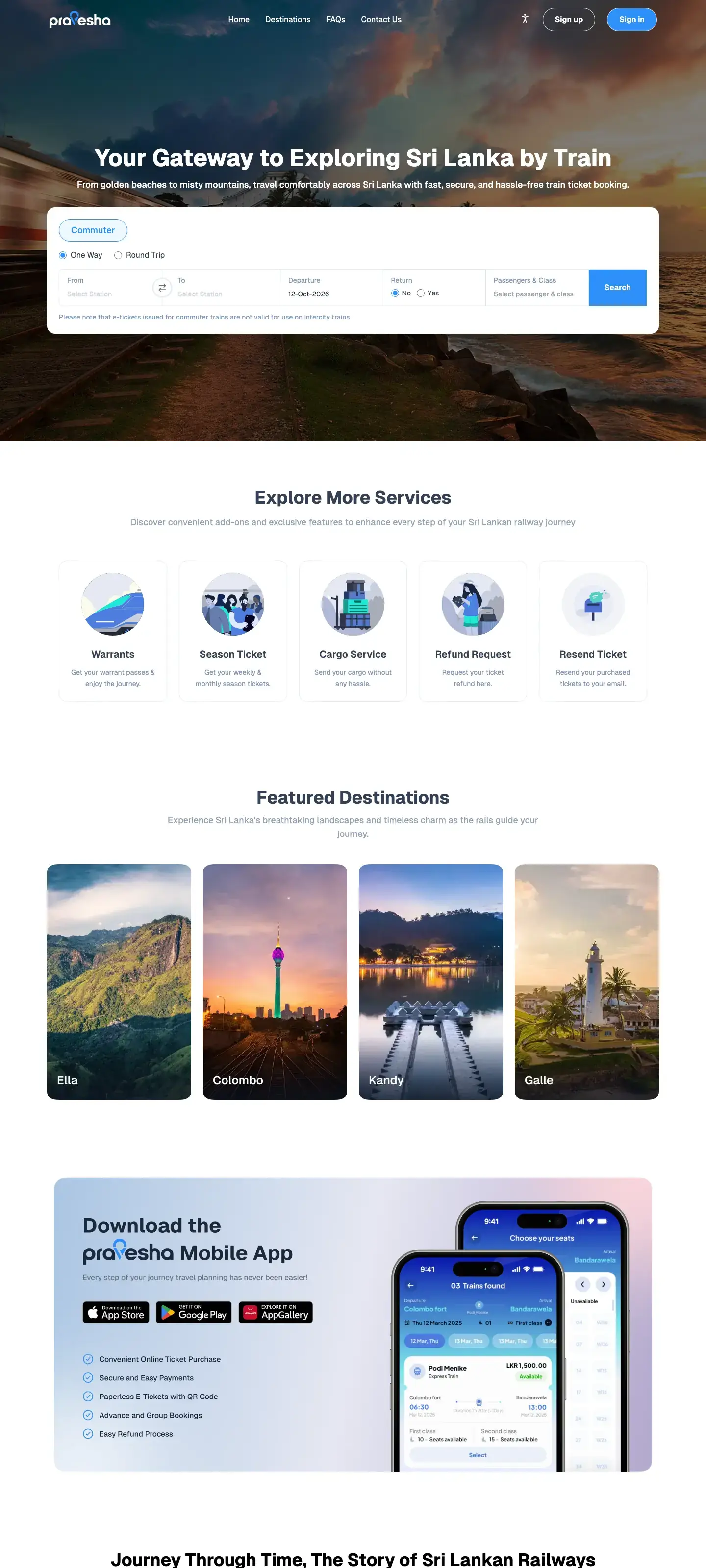
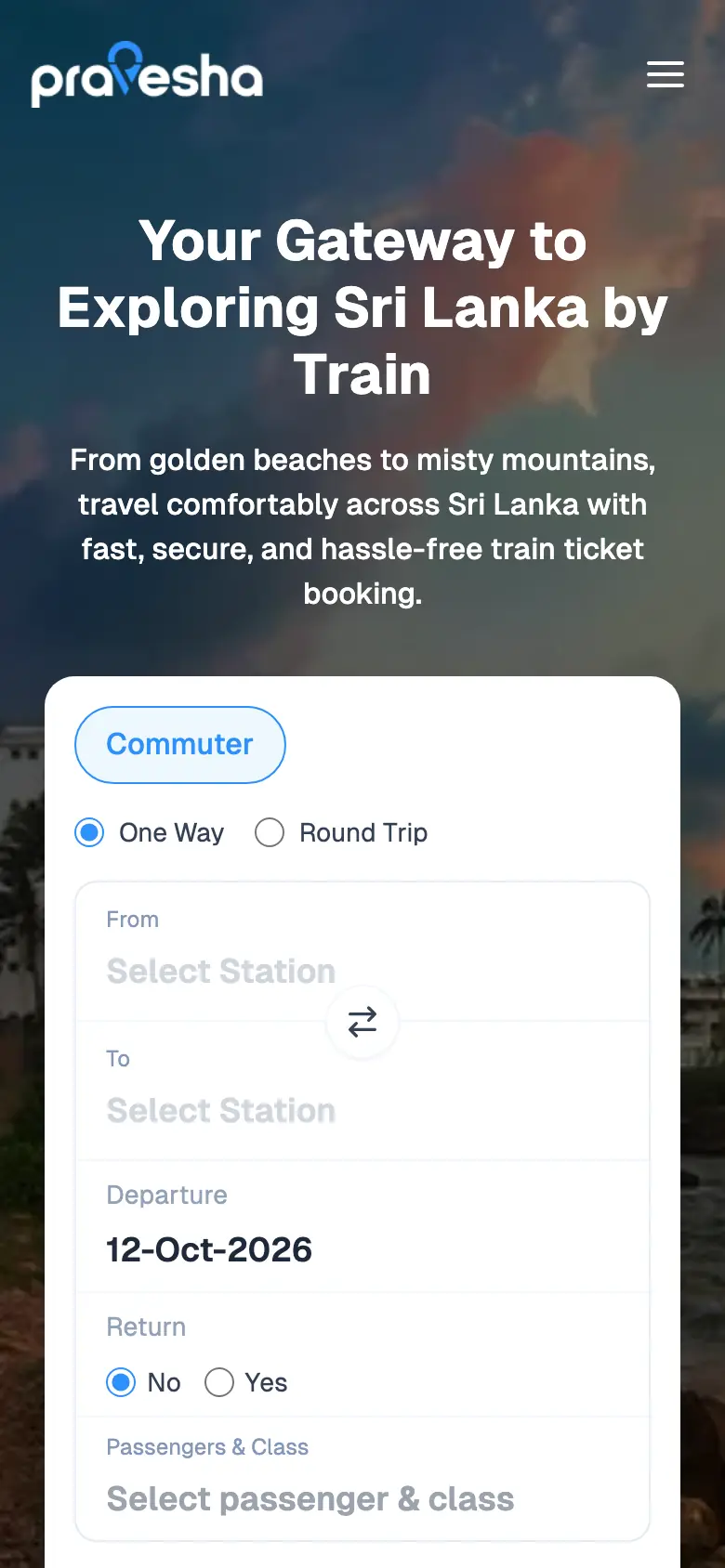
Pravesha
Train tickets, season passes, account verification, and payments across web, iOS, and Android.
Tekman
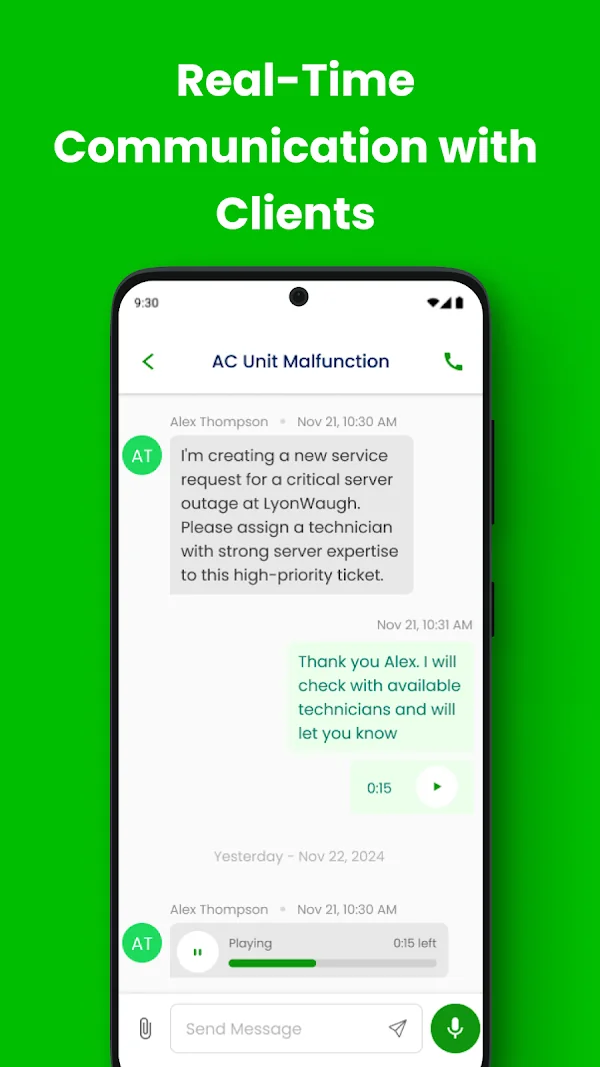
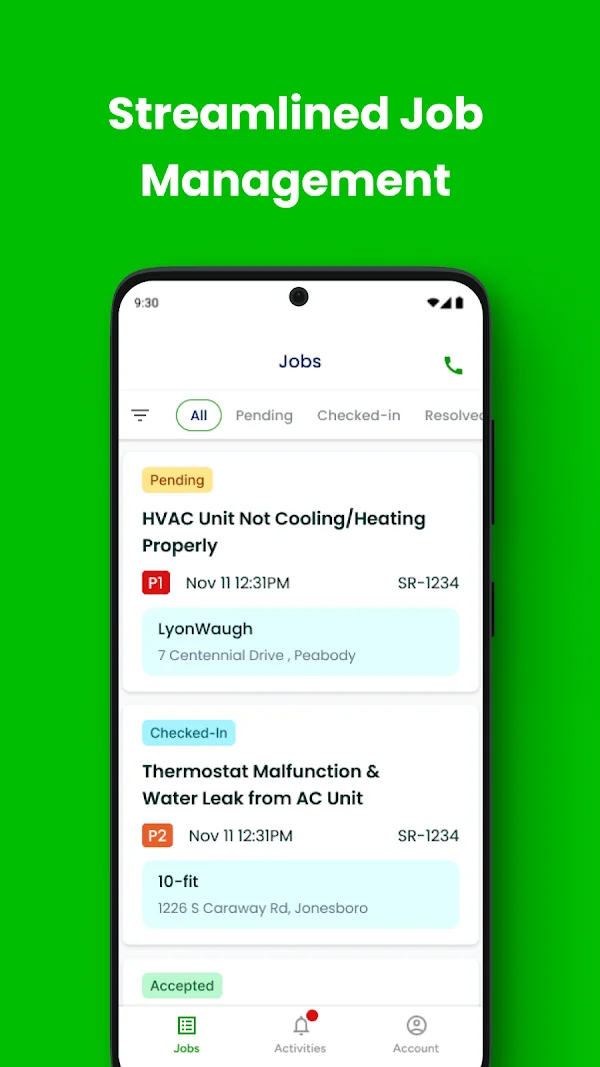
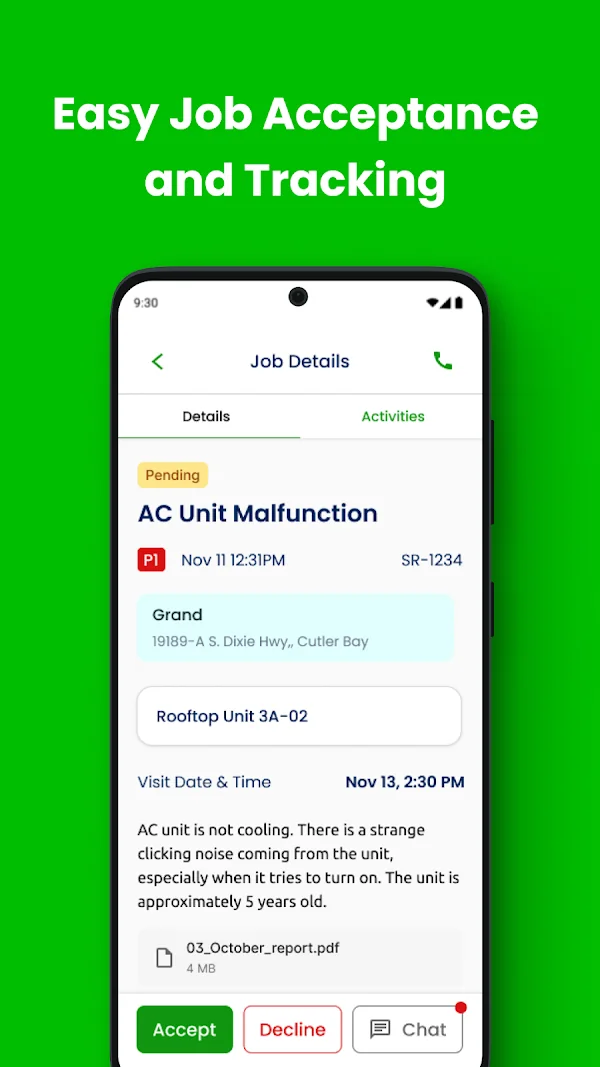
Work orders, technician assignments, messaging, and job documentation.
Kangaroo Cabs
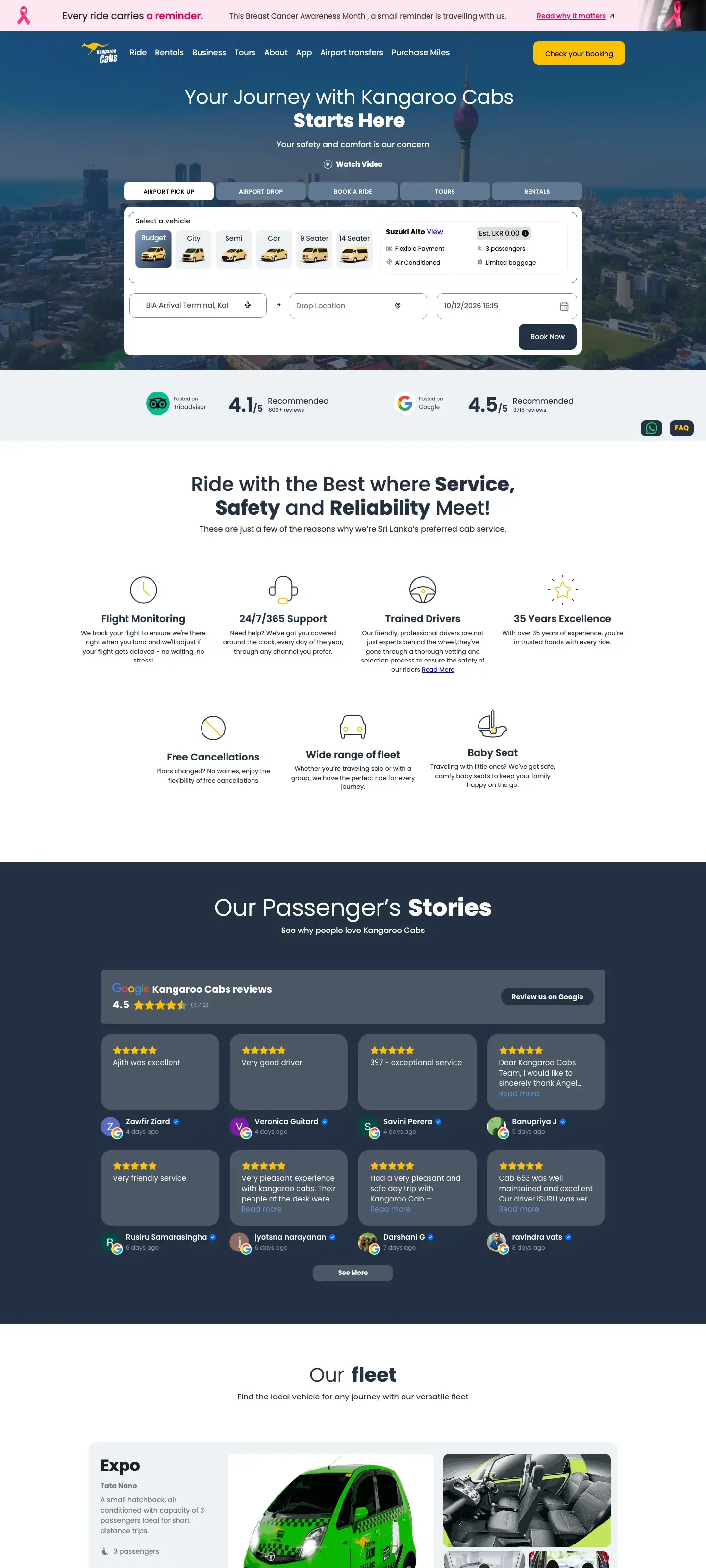
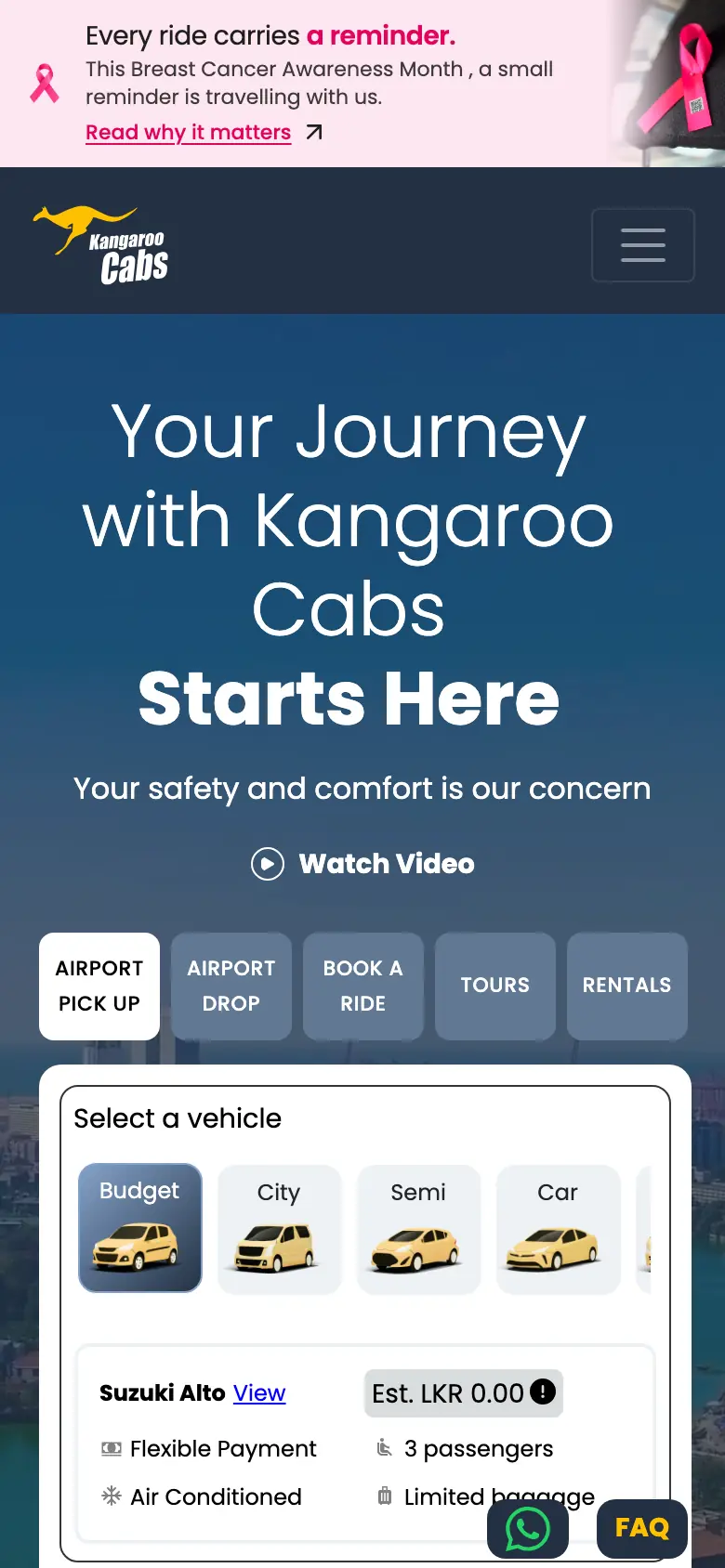
A booking website and passenger app with fare estimates, scheduled rides, airport transfers, live tracking, and driver chat.
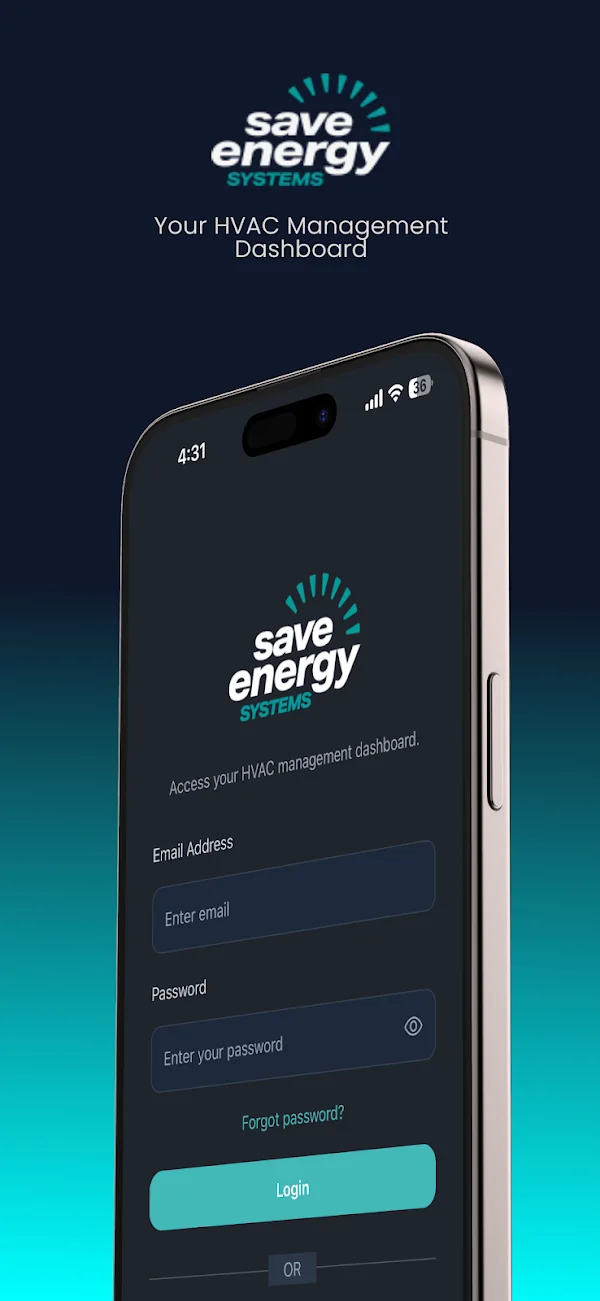
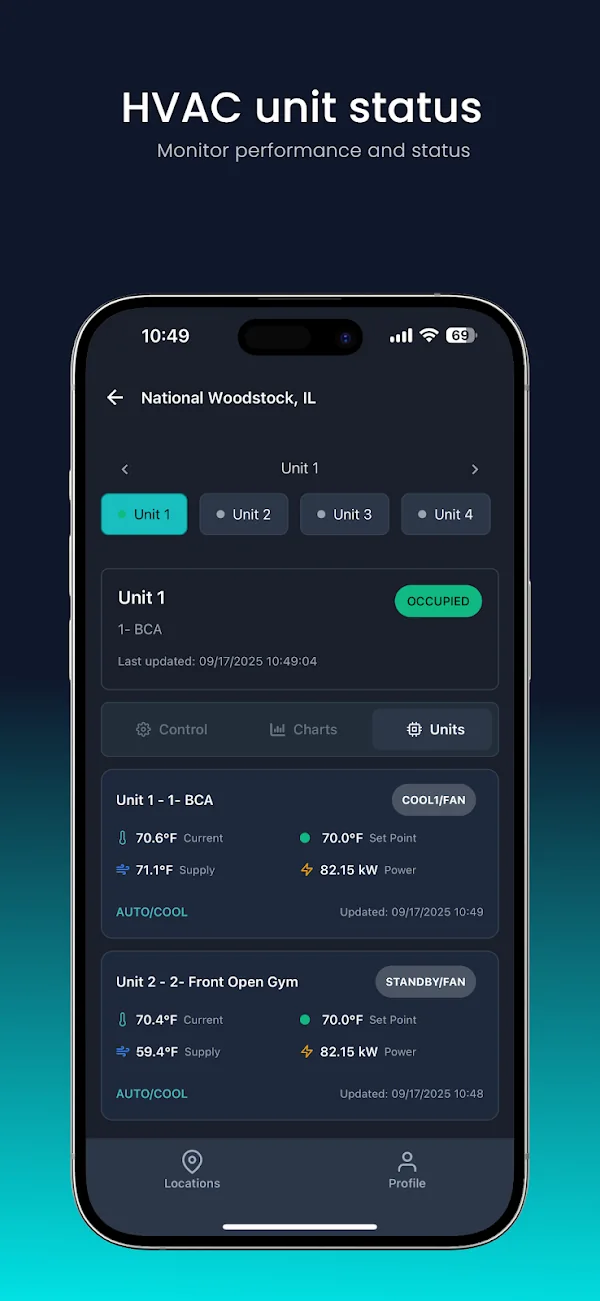
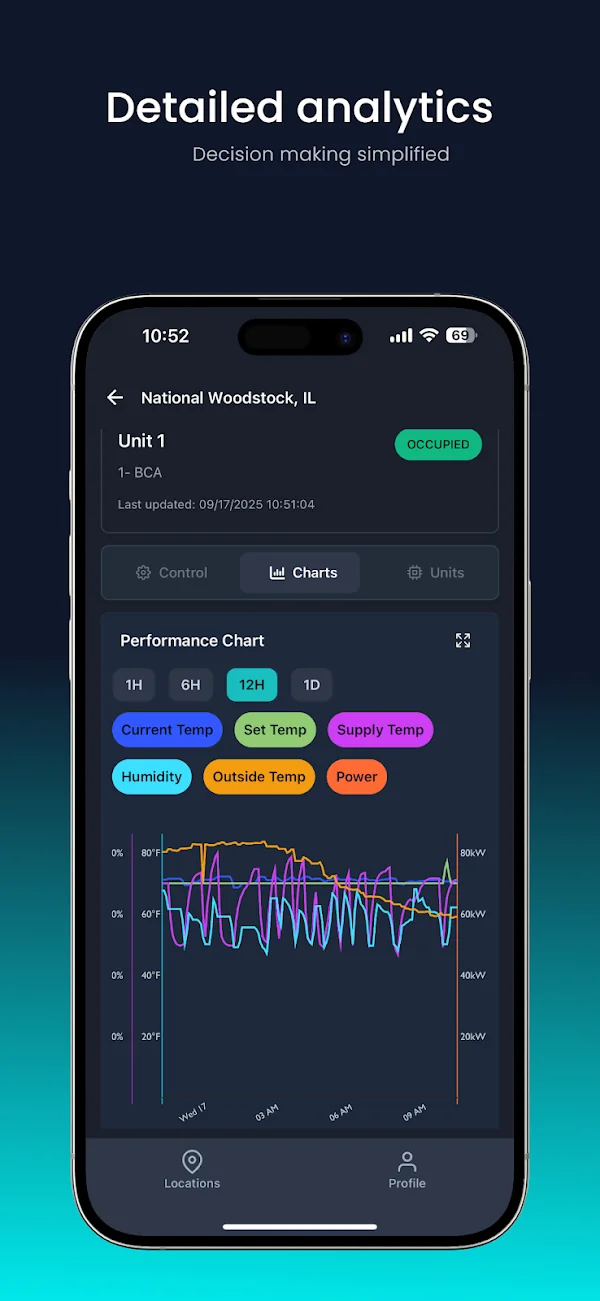
SES SiteView
Site and unit monitoring with operating data and performance charts.
Pick the one that matches your app. Each starts with the same free call.
Your mobile app looks ready, but a critical flow fails on a real device. AppResq traces the failure across screens, app state, native integrations and the backend boundary before agreeing the repair.
Rejected by Apple, stuck on a failing EAS or Xcode build, or waiting on a Google Play testing track? AppResq helps resolve the signing, native compatibility and distribution blockers between your codebase, a test build and an agreed store submission.
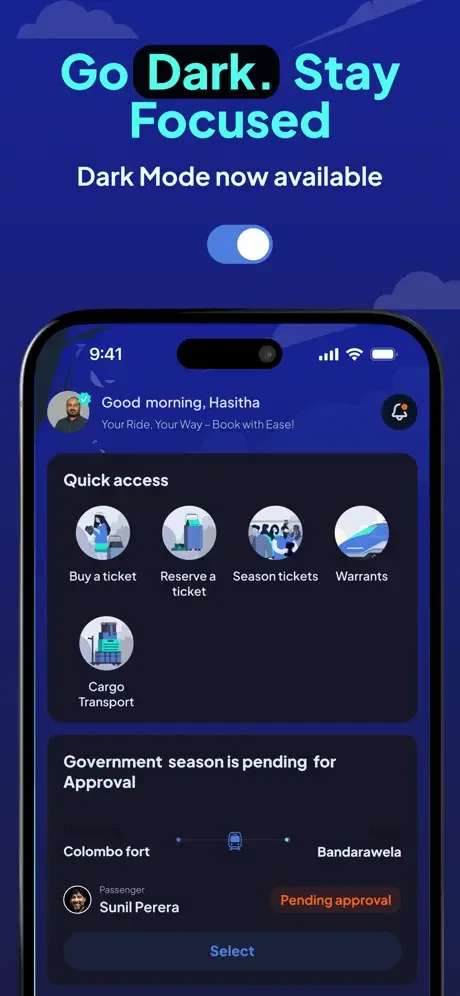
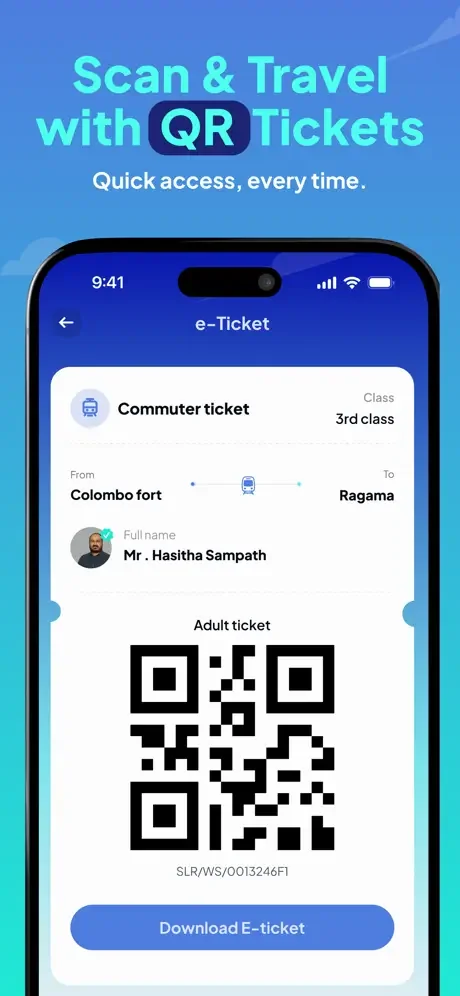
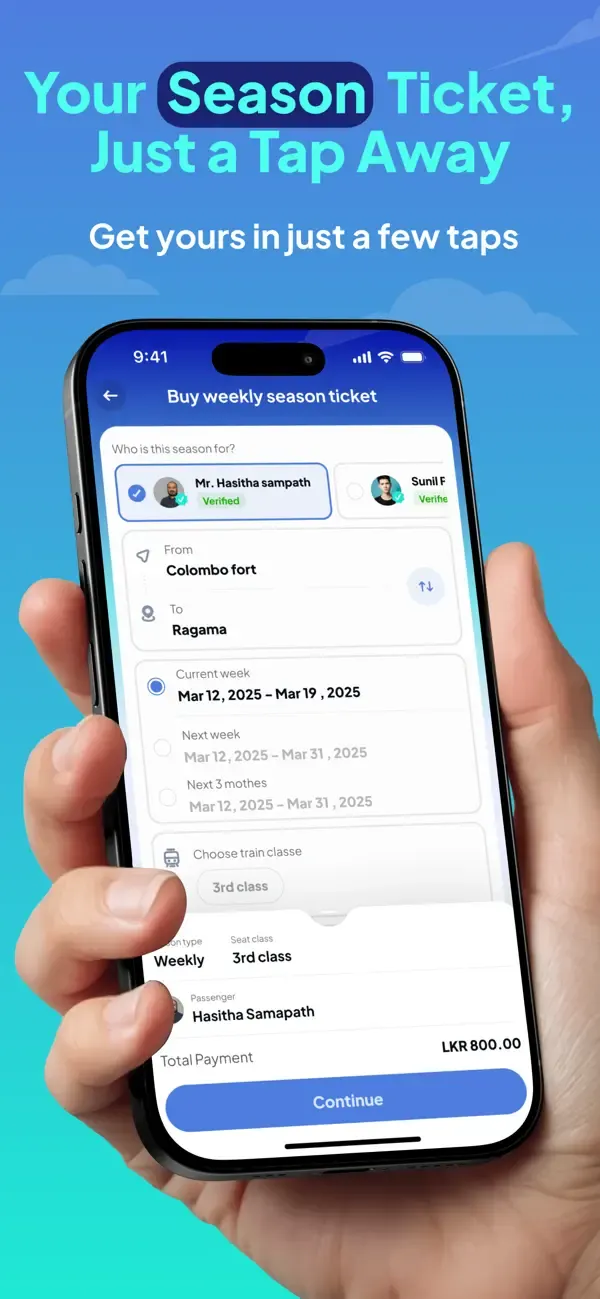
Your AI-built or inherited web app has screens, but payments, private data or a core workflow break under real use. AppResq reviews the request, authorization and data flow, then scopes the changes needed to make that workflow dependable.
Solo builders and individuals with an idea are welcome. A free call clarifies the first useful version, the platform and the scope. A new build is quoted separately from the $500 App Review, which diagnoses an existing app.

It starts with a free call. Then three steps, each agreed before it begins.
Illustration: one app taken apart the way a view debugger shows it. The screen is a real capture of Pravesha.
$500 App Review
One workflow, one platform, read-only access. Findings and next steps within 2 working days of the agreed start.
Fixed quote from the review
Scope, price, checks and start agreed first. Small scopes usually take 5 to 10 working days.
Prepared handoff
Signing, listing and testing tracks prepared for a real submission. Store review timing and approval stay with Apple and Google.
Day 1
Access
A 20-minute kickoff call on the failing workflow. Read-only access to the repo, plus any build, crash or store logs.
Day 1–2
Trace
Up to 4 hours tracing that one workflow end to end, with evidence for every break.
Day 2
Report
Each finding with its cause, evidence and fix, marked by what blocks release. A fixed repair quote when enough is known.
Your code and accounts stay yours. You keep the review report even if we stop there.
For an existing app, start with a review. New app ideas are scoped and quoted on a free call.
$500USD · one time · the first step
Best for: one app and one workflow, before you commit to a repair.
Book a free callWhat it asks of you
Read-only access to the repo and a 20-minute kickoff call. About an hour of your time in total.
One app, one workflow, one platform. Up to 4 hours of hands-on investigation, with findings, evidence, what remains unknown, and a repair recommendation. A fixed repair quote is included when enough is known.
Your report arrives within 2 working days of the agreed start and is yours to keep, even if we stop there.
The $500 USD review fee is credited toward a related repair booked within 30 days while its findings still apply. Repair and care are quoted after review to match the scope found.
If the review finds nothing wrong inside the agreed workflow, the fee is refunded in full. You keep the report.
Fixed quote
After the review: in your report, when the scope is clear.
Book a free callOngoing App CareMonthly, quoted after review
Reserved engineering hours each month for one prioritized backlog: fixes, QA and releases. Hours, scope and available capacity are confirmed before booking.
Why credit the fee? The review is the first step of the repair, so you don't pay for the same work twice. The report is yours either way.
The usual ways to get unstuck, side by side with how AppResq works.
Other ways to get unstuck
Common routes founders try first
AppResq
One engineer, one diagnosed workflow
| Prompt the AI again, Starting point: Another prompt, another patch to the same screen | AppResq, Starting point: A $500 review of one workflow in your actual code |
| Prompt the AI again, Diagnosis: The cause is rarely named, so the bug can come back | AppResq, Diagnosis: Cause and evidence in writing within 2 working days of the agreed start |
| Prompt the AI again, Price: Usage or credits per attempt, with no fixed end | AppResq, Price: A fixed repair quote when enough is known; the fee is credited toward a related repair booked within 30 days |
| Prompt the AI again, Your code: Changes happen in the builder's own editor | AppResq, Your code: The fix lands in your repo and stack; code and accounts stay yours |
| Prompt the AI again, Store release: Native signing and store review often still need hands-on work | AppResq, Store release: Signing, listing and testing tracks prepared; approval stays with Apple and Google |
| Prompt the AI again, Who does the work: A model, without your production context | AppResq, Who does the work: The engineer you talk to does the work |
| Freelance marketplace, Starting point: Bids from people who have not seen the code yet | AppResq, Starting point: A $500 review of one workflow in your actual code |
| Freelance marketplace, Diagnosis: Depends on who you hire | AppResq, Diagnosis: Cause and evidence in writing within 2 working days of the agreed start |
| Freelance marketplace, Price: Hourly or per milestone, before the cause is known | AppResq, Price: A fixed repair quote when enough is known; the fee is credited toward a related repair booked within 30 days |
| Freelance marketplace, Your code: Access and handover terms vary | AppResq, Your code: The fix lands in your repo and stack; code and accounts stay yours |
| Freelance marketplace, Store release: May be out of scope | AppResq, Store release: Signing, listing and testing tracks prepared; approval stays with Apple and Google |
| Freelance marketplace, Who does the work: Varies by hire | AppResq, Who does the work: The engineer you talk to does the work |
| Agency, Starting point: Discovery calls and a proposal before the repo is opened | AppResq, Starting point: A $500 review of one workflow in your actual code |
| Agency, Diagnosis: Often bundled into a larger paid scope | AppResq, Diagnosis: Cause and evidence in writing within 2 working days of the agreed start |
| Agency, Price: Team rates sized for bigger projects | AppResq, Price: A fixed repair quote when enough is known; the fee is credited toward a related repair booked within 30 days |
| Agency, Your code: Their team, their process | AppResq, Your code: The fix lands in your repo and stack; code and accounts stay yours |
| Agency, Store release: Often included, at agency rates | AppResq, Store release: Signing, listing and testing tracks prepared; approval stays with Apple and Google |
| Agency, Who does the work: A team; who works on it can change | AppResq, Who does the work: The engineer you talk to does the work |
| Rebuild from scratch, Starting point: Start over and re-create what already works | AppResq, Starting point: A $500 review of one workflow in your actual code |
| Rebuild from scratch, Diagnosis: Skipped; the old cause can follow into the new code | AppResq, Diagnosis: Cause and evidence in writing within 2 working days of the agreed start |
| Rebuild from scratch, Price: The full cost of a new build | AppResq, Price: A fixed repair quote when enough is known; the fee is credited toward a related repair booked within 30 days |
| Rebuild from scratch, Your code: A new codebase to learn | AppResq, Your code: The fix lands in your repo and stack; code and accounts stay yours |
| Rebuild from scratch, Store release: Release starts again from zero | AppResq, Store release: Signing, listing and testing tracks prepared; approval stays with Apple and Google |
| Rebuild from scratch, Who does the work: Whoever builds the new version | AppResq, Who does the work: The engineer you talk to does the work |
General patterns, not claims about any one person, agency or tool.
Yes. Solo builders and individuals are welcome. We start with a free call to clarify the first useful version, platform and scope, then agree a quote. The $500 App Review is for investigating an existing app workflow; a new build is scoped separately.
I do. I personally deliver the review and the repair. If your app needs a specialist outside what I can support, I tell you before proposing anyone else, and access is agreed first.
Yes, when the project is a technical fit. We check the stack, access, and target platform before the review starts.
Often, yes. The $500 App Review traces that workflow in your code, names the cause where it can be found, and quotes the repair when enough is known.
Yes, when you control the code and can give access. I review the blocker and the handoff context before recommending a repair or a bigger change.
On mobile: React Native, Swift, Kotlin, and Flutter, including Expo projects. I also work on web apps and SaaS products. We confirm your actual stack and dependencies before agreeing the work.
No. The findings and recommendation are yours. If you book a related repair within 30 days and the findings still apply, the review fee is credited.
Then you pay nothing. If I find no defect inside the agreed workflow, the $500 is refunded in full and you keep the report showing what was checked.
It investigates one agreed workflow within its scope. The report says what was checked, what was found, and what still needs investigation.
No one can. We agree the release stage and the work I do. Apple and Google review, account setup, and your decisions affect when a build goes public.
A clear blocker, the existing app or repository, someone who can grant access, and an agreed scope, payment, and start window. Send context first. Account access comes later through proper invitations.
A free call of about 20 minutes. No scoping fee, no obligation. Then you decide.
with AppResq
Pick a day
This form prepares your brief in your browser. Send it from your own email app, or copy it.
Enable JavaScript to prepare a brief locally in your browser. No details are sent.